MasterApp
Everything you need for a simple mastering workflow, and nothing you don't. Take a finished set of mixes to a polished, consistent-sounding album, ready for streaming.
Shareware. Free to use, with every feature · macOS 15 or later · Apple silicon
Built for one job
MasterApp isn't a DAW, by design. One track plays at a time, and editing is limited to trims and fades, so there's less to set up and less to get wrong.
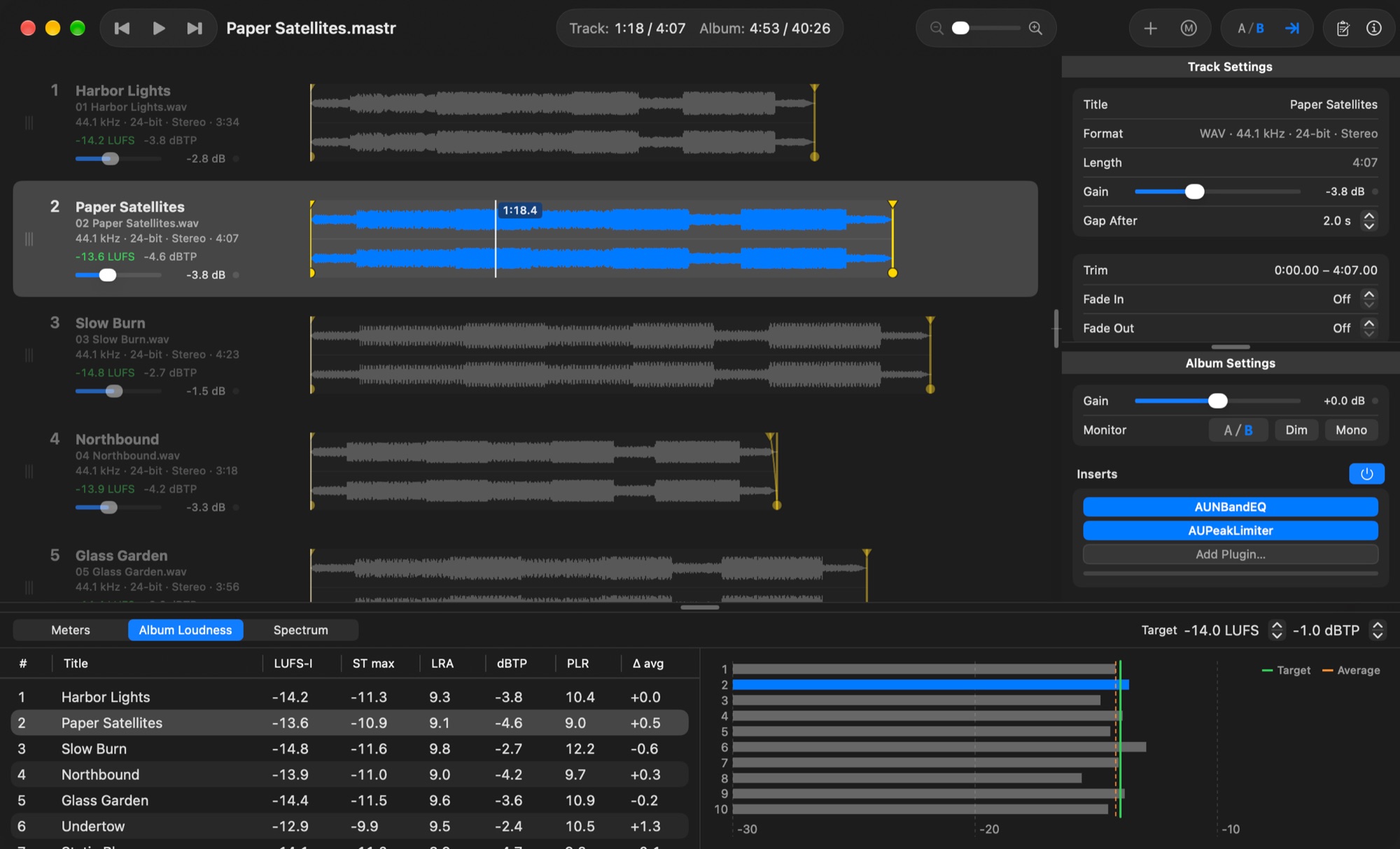
It has no processing of its own. Use your favourite EQ, compression and other Audio Unit plugins, and MasterApp takes care of everything around them: put the tracks in album order, give each one its own plugins, run them all through a shared Album chain, and listen in sequence until loudness and tone sit together. Then Master Album renders every track to a new, versioned folder.
Features
What you need to master an album, in one window.
The whole album at once
Every track's waveform in album order. Drag to reorder, zoom them all together, and play straight through with the gaps you set, or gaplessly.
Your plugins
Eight Audio Unit slots per track and eight on the Album chain, for any Audio Unit effect installed on your Mac. Copy a whole chain to one track or every track.
Loudness you can trust
Momentary, short-term and integrated LUFS, true peak, LRA and PLR (ITU-R BS.1770 / EBU R128), against a loudness target you set.
Album consistency
Every track's loudness and true peak side by side against the album average, and a spectrum that overlays another track's or the album's average tone.
Honest comparisons
A/B the original against the processed sound at matched loudness, flick between tracks at the same passage, and check in mono or dimmed.
Master Album
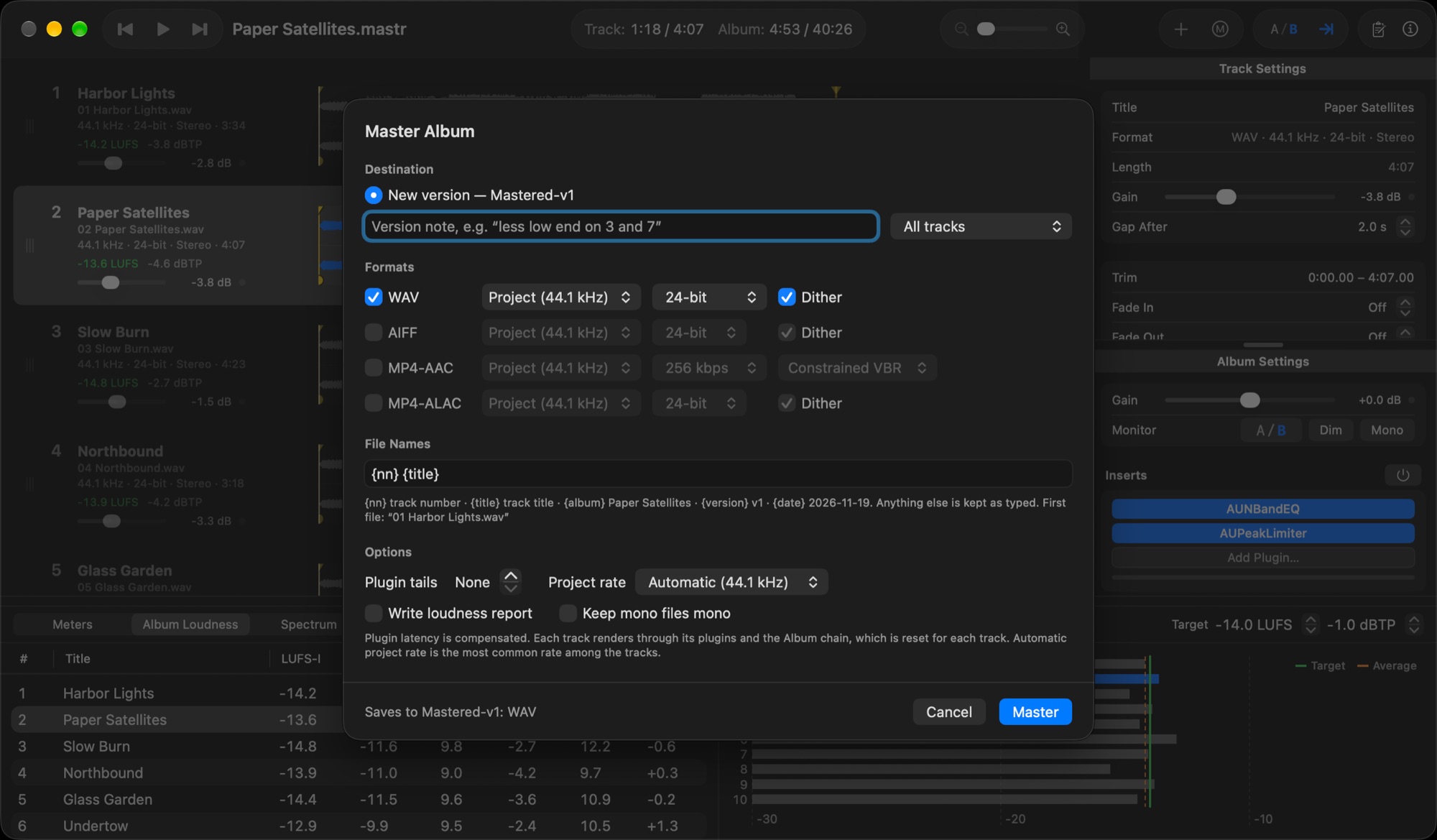
One pass per track to WAV, AIFF, MP4-AAC and MP4-ALAC, with sample-rate conversion, dither, plugin latency compensation and a loudness report.
Trims and fades
Drag trim handles, or set them at the playhead with I and O. Drag a fade's length and curve right on the waveform.
Versions you can go back to
Each master goes into its own Mastered-v1, v2… folder with the settings that made it, so you can revert the project to any version.
Projects that look after themselves
Imported audio is copied into the project, everything saves as you work, and projects can live in iCloud Drive.

Price
MasterApp is shareware. Use it as long as you like, with every feature. If it earns a place in your workflow, please support our work by upgrading for about the cost of a sandwich.
Free (Shareware)
Every feature, no time limit. A banner in the track list asks you to upgrade.
Upgrade
One payment. Removes the banners and supports MasterApp's continued development.
Questions
- What do I need?
- A Mac with Apple silicon running macOS 15 Sequoia or later, and the Audio Unit plugins you want to master with.
- Why can't I use the stock Logic Pro plugins?
- Logic Pro's own built-in plugins aren't Audio Units, so they can't be used.
- Why should I upgrade?
- The main reason is to support continued development of MasterApp. We'll also remove the reminder banners. Less than the cost of the sandwich you ate for lunch.
- How do I upgrade?
- Buy the upgrade on Gumroad and your license key comes in the receipt. In MasterApp choose MasterApp ▸ Enter License Key…, paste it in and click Activate. The key is checked once, online, and then works offline.
- How do I move MasterApp to a new Mac?
- Install MasterApp and enter your key again; it's in your Gumroad receipt, and on your old Mac under Settings ▸ License.
- Does MasterApp collect any data?
- No. There are no accounts, analytics or tracking. The only time MasterApp goes online is when you activate a license key, to check it with Gumroad.
- How do I get help?
- The User Guide is built in (Help ▸ MasterApp User Guide).